
Know the moment it's up
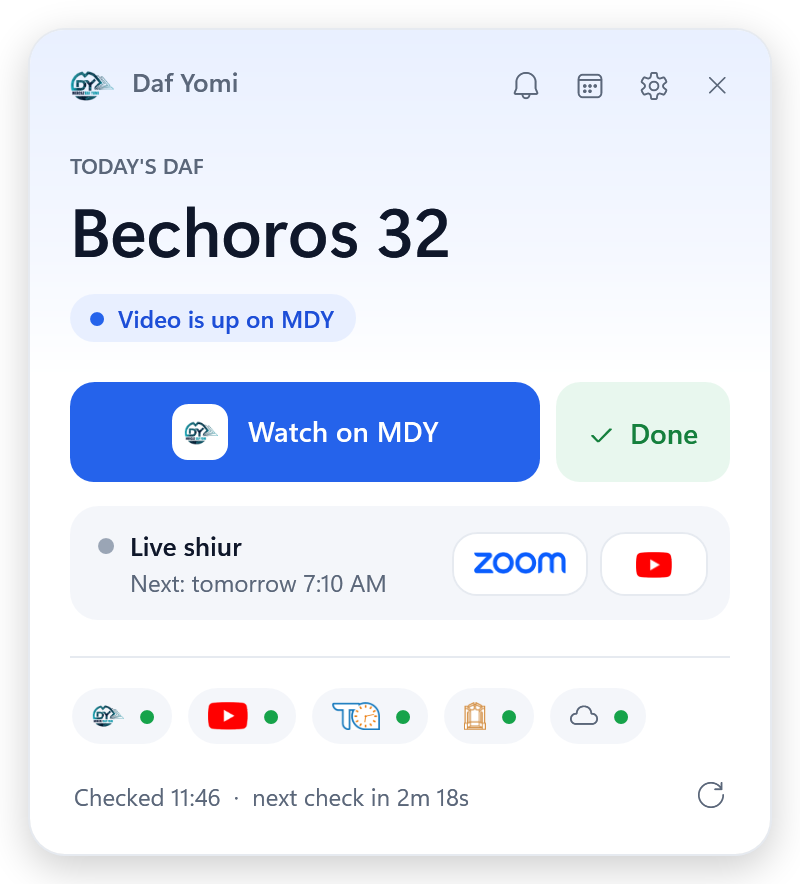
Checks every few minutes and pops up a notification as soon as today's shiur is posted — with a button straight to it.
A small Windows app that tells you the moment today's shiur is up, reminds you until you've done it, and keeps a calendar of every daf you learn.
One click on the tray icon opens it. Everything else happens quietly in the background.
Checks every few minutes and pops up a notification as soon as today's shiur is posted — with a button straight to it.
See when the next live shiur starts in your own time zone, with one-click Zoom and YouTube links.
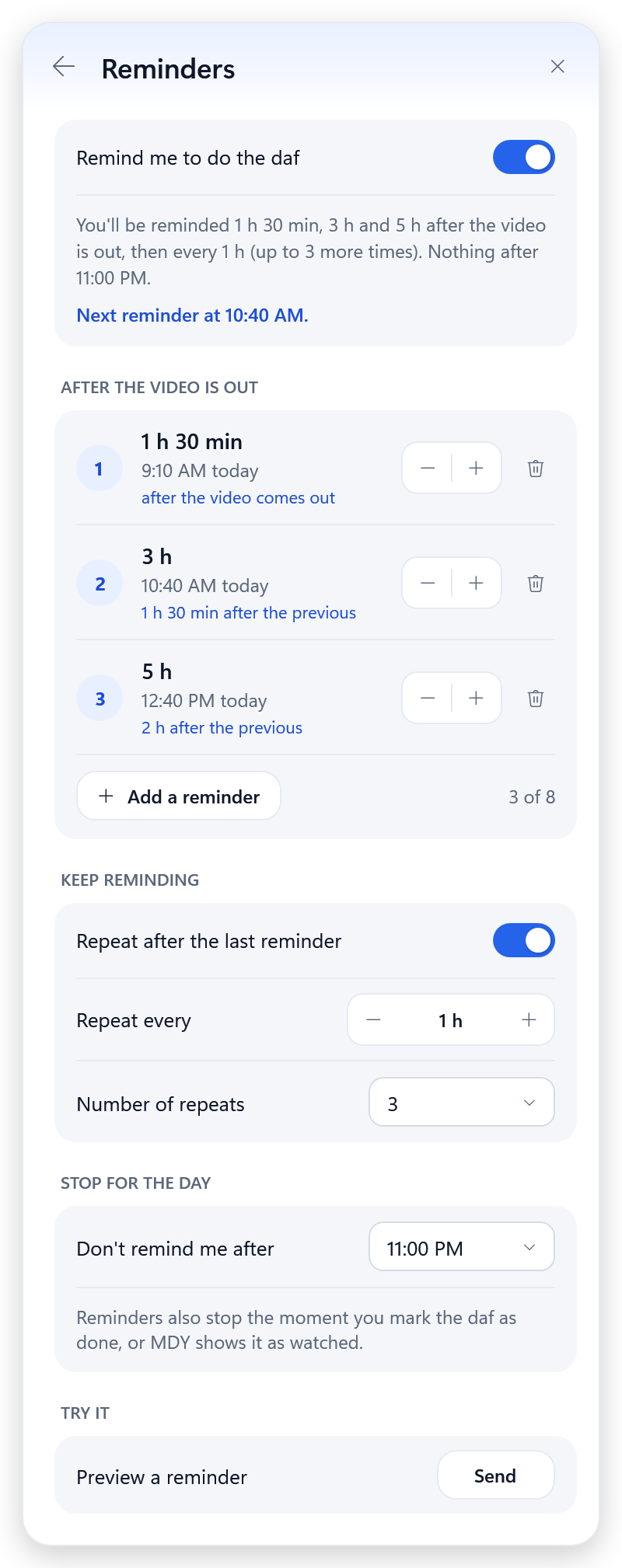
Up to eight reminders after the video comes out, optional repeats, and a time after which it stays quiet for the night.
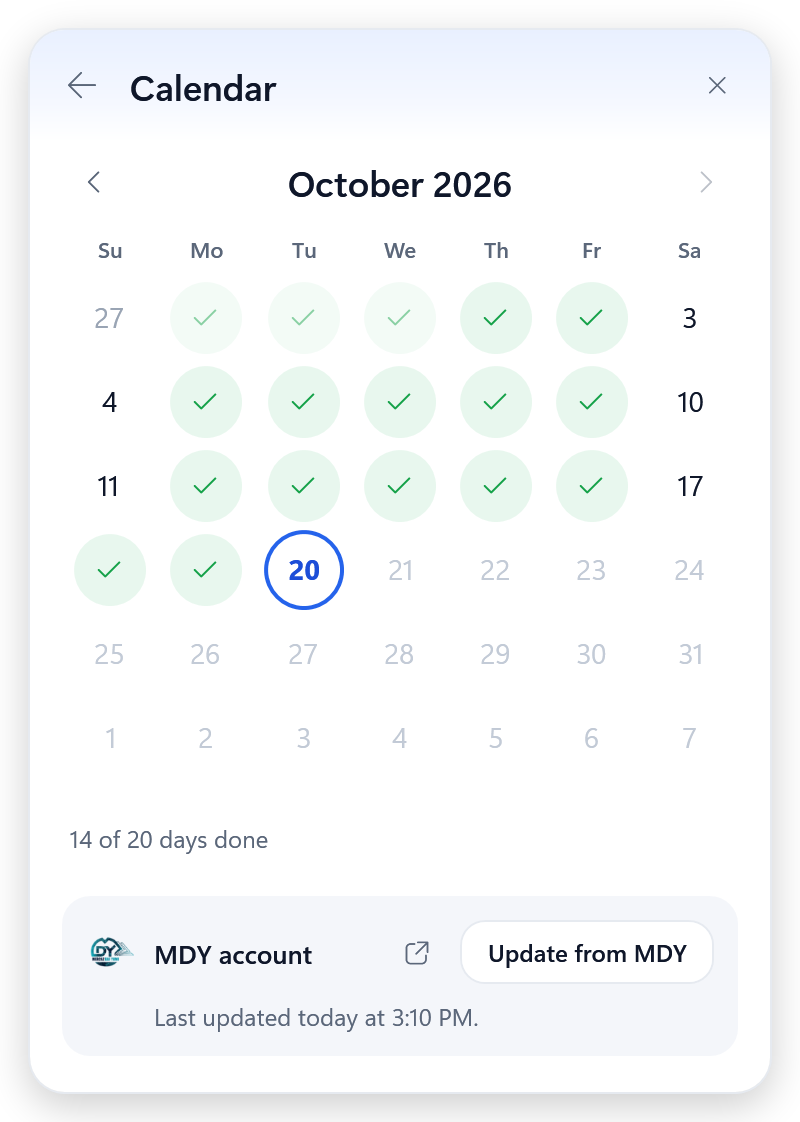
Tick off each day, fill in ones you learned earlier, and pull in everything you've marked as watched on MDY.
The tray icon is red until the video's out, black with a pulsing red dot while it waits for you, and green once you're done.
Starts with Windows, sits in the tray and rests once you're done for the day. Your MDY login never leaves your PC.
No need to open anything. The little logo next to the clock tells you exactly where you stand today.




Run the installer — no admin rights needed. Windows will ask you to confirm once; we'll show you how.
The bot starts with Windows and waits quietly next to the clock. Click the icon any time to open it.
Get notified when the shiur is up, watch it, and press Done — or let MDY tell the bot you've watched.
Free download for Windows 10 & 11.
Chrome blocks files it hasn't seen many people download. Daf Yomi Bot is a small independent app, so this is expected; it doesn't mean the file is unsafe. Open Chrome's downloads (the arrow at the top right, or Ctrl+J), click the ⋮ next to DafYomiBot-Setup-1.6.5.exe, then choose Keep and Keep anyway. Then open the file. If Windows shows a blue “Windows protected your PC” box, click More info and then Run anyway. In Edge the steps are ⋯ → Keep → Show more → Keep anyway. Firefox doesn't block it.
Daf Yomi Bot is a small independent app that isn't signed with a paid Microsoft certificate, so Windows SmartScreen doesn't recognise it yet. Click More info, then Run anyway. You only need to do this once.
A Windows 10 or 11 PC (64-bit). Everything else comes in the installer. It uses Microsoft Edge WebView2, which is already part of Windows 11 and up-to-date Windows 10 PCs.
No — it works without one. Adding your MDY email and password in Settings lets the bot notice when you've marked the daf as watched and sync your calendar. Your login is saved only on your PC.
No. It checks every few minutes while waiting for the shiur, and once you're done for the day it goes idle until the next daf.
Either way removes the app, its automatic startup, settings, logs and saved MDY login:
From Windows: open Settings → Apps → Installed apps, find Daf Yomi Bot, click ⋯ and choose Uninstall.
From the bot: open it, go to Settings, scroll to the bottom and click Uninstall app.
Installed an older version and it isn't in either place? Right-click the tray icon and choose Exit, then delete the folders %LocalAppData%\DafYomiBot and %AppData%\DafYomiBot.
Not at the moment — Daf Yomi Bot is a Windows app.
Daf Yomi Bot is a small independent app, so the first time you open it, Windows shows a blue “Windows protected your PC” box. That's expected. Here's how to continue:
That's normal for a small independent app. It isn't a virus warning. To keep the file:
Using Edge? Click ⋯ → Keep → Show more → Keep anyway. Firefox doesn't block it.
This is a Windows app — download it on your PC.
Download didn't start? Try again
What you'll see after opening the download